




 English (EN)
 Русский (RU)
 Українська (UK)
 español (ES)
 Türkçe (TR)


Best Trust Wallet Alternatives: Top 8 Wallets for USDT TRC-20
8 reliable alternatives to Trust Wallet for USDT TRC-20: full TRON support, seed phrase import, energy management and minimal fees for USDT transfers.
2025-12-02
129
Authorization is required only to use the service «Team energy»
Enter the e-mail you provided during registration and we will send you instructions on how to reset your password.
An error occurred while processing your request. Please try again later. If the problem persists, please contact our support team.
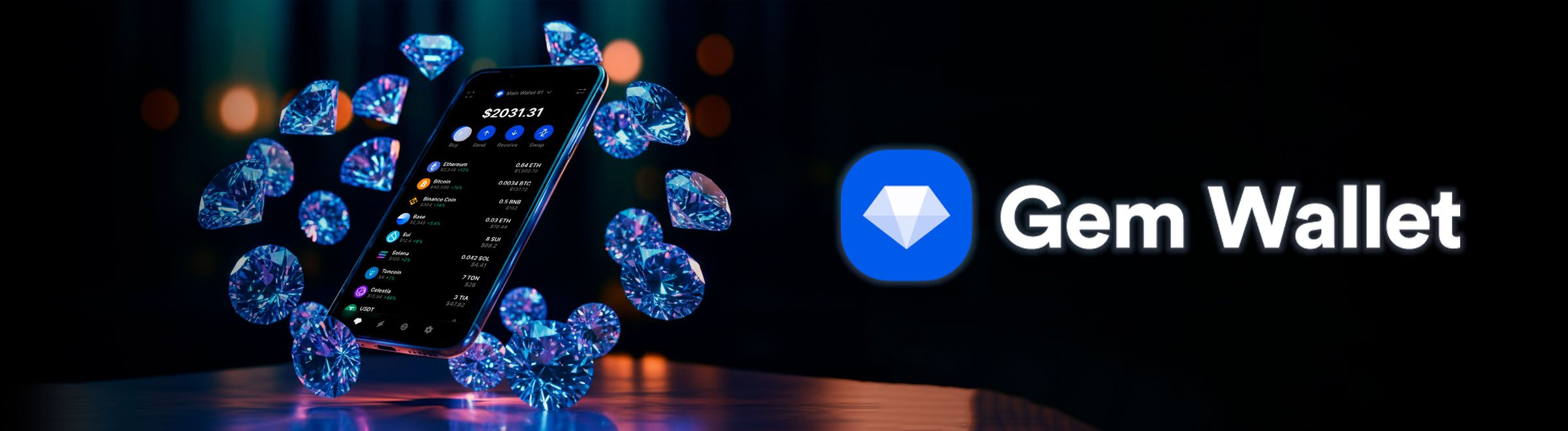
GemWallet is a non-custodial multichain wallet with open-source code. We explain its security model, staking, swaps, asset management, and support for 100+ networks.
What is gemwallet – it is a non-custodial mobile GemWallet crypto wallet for iOS and Android that provides full control over private keys and supports more than 100 blockchains and thousands of tokens. It is developed by Gem Wallet LLC from the UAE. The core philosophy of the project is transparency, achieved thanks to open-source code, as well as a focus on user privacy and security.
In this article we will cover:
From the very beginning it is important to clear up potential confusion. There is a gemwallet browser wallet on the gemwallet.app website, and this tool belongs to a separate open-source project that works only with the XRP Ledger network. Our gem wallet review refers to a different product, namely the multichain mobile GemWallet application, which is hosted on the gemwallet.com website and distributed through Google Play and the App Store.
The summary table helps you quickly understand how the gemwallet wallet performs in different key categories. This format is especially convenient for those who want to get a general impression before moving on to a detailed breakdown of features and capabilities. Below are the scores for the main parameters that reflect real usage experience and the specifics of how the app works.
| Criterion | Score | Comment |
|---|---|---|
| Supported networks and tokens | 10/10 | More than 100 blockchains and thousands of tokens: BTC, ETH, BNB, TRON, SOL, TON, Cosmos and others. The full list can be seen in the help section and in the app itself. |
| Security and key control | 9/10 | The wallet is fully non-custodial, keys are stored only on the device. The source code is open on GitHub. The app has spam-token protection and a bug bounty program. |
| Interface convenience | 8/10 | The interface is clean and intuitive, the Russian language is supported. For gemwallet for beginners this UI is usually comfortable and not overloaded. |
| Backup and recovery | 10/10 | A standard HD scheme with a seed phrase and mandatory confirmation at creation is used. Import via seed and via private keys is supported. |
| Fees and transaction optimization | 7/10 | The user pays network fees as well as fees charged by fiat and swap providers like MoonPay, Mercuryo, Banxa, Transak and others. The minimum purchase amount usually starts from $20. |
| Integration with DeFi and Web3 | 7/10 | There is no built-in DApp browser in the app, so interaction with protocols goes through WalletConnect. For most operations this is sufficient, although active DeFi users may miss additional flexibility. |
| Cross-platform support | 5/10 | The main format is mobile apps for iOS and Android. Installation is available via the App Store and other catalogs, but there is no full-fledged multichain desktop. The Gem wallet browser extension belongs to a separate product and works only with XRPL. |
| Support and documentation | 9/10 | GemWallet has a good knowledge base, detailed instructions and a fast support chat that opens via a built-in widget. |
This table provides a clear understanding of GemWallet’s strengths and shows what to pay attention to when choosing a wallet. It helps you quickly assess the balance between functionality, convenience and security, so you can then move on to a deeper exploration of the app’s capabilities.
The security section in GemWallet deserves special attention, because it is what determines how much a user can trust the tool. The question is gemwallet safe usually arises at the very beginning, and it is important to understand here that the wallet is built as a full-fledged self-custody solution. The application works in a non-custodial software format, so responsibility for private keys and the safety of assets always remains with the device owner.
The basis of this model is that the GemWallet crypto wallet does not transfer private keys to servers and does not store any personal data. On first launch, the app creates a seed phrase, prompts you to write it down in a safe place and checks that it is indeed saved correctly. This step does not allow you to complete wallet creation without confirmation and guarantees that only the user owns their recovery phrase. If the device is lost, it is enough to import the seed to a new phone to restore access and continue working without restrictions.
Additional confidence is created by the fully open-source code. The team has released mobile clients for Android and iOS, as well as a separate Rust core that is responsible for working with blockchains. This openness allows the community to independently review the logic, identify bugs and contribute improvements. The project supports a bug bounty program, so discovered vulnerabilities do not go unnoticed, and researchers receive rewards for their contribution to security.
At the local protection level, the gemwallet wallet offers a set of practical features that help you feel safer in everyday use:
All these elements create a sense of transparency and control. The user sees exactly where the keys are stored, can independently study the source code and, if necessary, contact the support chat. This approach makes GemWallet’s security model one of the clearest and most predictable, which is especially important for those who choose a non-custodial storage format.
GemWallet was created for a wide audience, so the installation process and the first steps are designed so that a beginner can figure everything out without difficulty. At the same time, the basic protection elements remain in place, so gemwallet login and installation do not require compromises between convenience and security.
The easiest way to start is by choosing an official download source. The app is available on Google Play for Android and in the App Store for iOS, iPadOS and macOS. Additionally, there are versions in other stores such as Galaxy Store and Huawei AppGallery, with links provided on the download page on the developers’ website.
After installation you can proceed to creating a new wallet. The Gemwallet wallet guide includes several mandatory steps:
If the user already has a wallet, the app makes it easy to transfer the data. In order to import a seed phrase into gemwallet or add private keys, it is enough to:
To restore access to gemwallet without issues, it is important to store the seed phrase not in phone notes or in the cloud, but in a safe offline place. If the phrase is saved correctly, importing it to a new device takes just a couple of minutes — read more on how to restore a crypto wallet by importing a seed phrase.
There is an important clarification that helps avoid common confusion. The mobile GemWallet is a multichain application for more than 100 blockchains and works exclusively on iOS and Android. In parallel, there is a gem wallet browser extension, which belongs to another project and is intended only for working with XRP Ledger.
This extension is installed in browsers as a Web3 wallet and does not support networks like BTC, ETH, TRON or SOL. The question of how to install gemwallet in chrome is covered in more detail in the FAQ, but the main idea remains simple. The mobile gemwallet wallet is not intended for browsers, and the available extension belongs exclusively to the XRPL ecosystem and merely shares the same name.
GemWallet offers a wide range of features, so the app feels like a full-fledged multichain hub. Here you can store assets, perform swaps, work with staking, view NFTs and connect to Web3 services via WalletConnect. Below are the gem wallet features and capabilities that are most often used in everyday workflows.
The built-in swap makes the process of converting assets simple and predictable. It helps to:
The minimum amount depends on the selected network and provider. For example, for BTC in some cases you can start swapping from about $2–3, which is convenient for small test operations. The interface works on clear logic. The user selects the source and target asset, sees the rate and the approximate fee, and confirms the transaction. This format makes gemwallet cryptocurrency transfers between networks much easier and allows you to avoid centralized exchanges in most cases.
GemWallet allows you to buy cryptocurrency with fiat and partially sell it back via popular on-ramp and off-ramp services. MoonPay, Mercuryo, Banxa, Transak and other providers participate in the integration. The main features:
The buy screen looks intuitive. You just need to select the currency, amount and a convenient provider. After that, the app will take the user to the service’s interface, and once processed, the funds will be sent directly to the address inside GemWallet.
The Earn section is one of the most useful parts of the app. It allows you to delegate tokens and receive rewards across a wide range of networks. The list includes Aptos (APT), BNB Chain (BNB), Ethereum via LST solutions, Solana (SOL), TON, Tron (TRX) and projects from the Cosmos ecosystem such as ATOM, OSMO, SEI, TIA and others. The staking mechanics work according to a single principle:
Thanks to this, users do not waste time visiting separate staking portals and instead perform all operations directly inside the mobile app.
GemWallet includes its own NFT gallery. It displays collections on supported networks and helps track up-to-date data for each item. There is a nuance that is important to consider:
This approach makes the interface lighter and more secure, although for users used to Trust Wallet or MetaMask with an internal browser, this format may feel less flexible.
GemWallet has features that nicely complement the core functionality:
These features show that the project is evolving not only as a basic multichain wallet, but also as a convenient tool for users who want to combine simplicity, security and advanced features in a single app.
GemWallet is designed as a full-fledged multichain hub, so gemwallet token storage covers more than 100 networks and thousands of assets. The documentation lists Ethereum, BNB Chain, Polygon, Avalanche, Solana, TRON, TON, projects from the Cosmos ecosystem and many L2 solutions. This set makes the app convenient both for beginners and for those who hold a portfolio across different blockchains.
In daily use everything looks extremely practical:
A special place is occupied by gemwallet cryptocurrency transfers, which are designed to be as intuitive as possible. The algorithm does not differ from common wallets and includes several steps:
This simple mechanics explains how to use the wallet for transfers without extra steps. The logic is predictable, so there is no need to study additional instructions.
It is also worth separately talking about working with the TRON network. Some specifics apply to TRC20 tokens (in particular the most popular stablecoin, USDT) and TRX, because it is important to consider network resources here. In GemWallet this is done conveniently:
Working with TRON really requires attention to network resources: Energy, Bandwidth and how exactly the wallet forms a transaction. In GemWallet everything is transparent – you see the consumption of blockchain resources and understand the transfer cost before confirming.
But if you want to save on transfers or completely avoid buying TRX, it makes sense to connect TRON energy via an external service like Tron Pool Energy. This allows you to cover fees with network resources rather than TRX coins and reduces costs by up to 65% when sending USDT TRC-20. In this case, a single transaction will cost only 3 TRX instead of the usual 6,77 TRX. This approach complements GemWallet well: the wallet remains a convenient tool, while fee optimization moves into an automatic mode.
Before moving on to conclusions, it is useful to compare the app’s strengths and weaknesses in one place. The table below helps quickly assess in which aspects GemWallet is particularly strong and where nuances may arise.
| Pros of GemWallet | Cons of GemWallet |
|---|---|
| Fully open-source code (mobile clients and core) | No built-in DApp browser, interaction with dApps goes only through WalletConnect |
| Support for 100+ blockchains and thousands of tokens | Name confusion: the gemwallet browser wallet for XRPL is not related to the multichain app |
| Built-in staking (APT, BNB, ETH, SOL, TON, TRX, etc.) | No full-fledged multichain desktop, the main focus is on mobile devices |
| Built-in cross-chain swaps and fiat purchases | Swap and purchase fees are higher than when trading on an exchange |
| Convenient interface with support for Russian and 20+ more languages | Beginners may find it difficult because of the large number of networks and features |
| Live chat support and detailed knowledge base | No formal third-party audits at the Big4 level yet |
This summary shows the overall picture: GemWallet really has many strong points, and its limitations are most often related not to security, but to architectural decisions and the focus on the mobile version.
GemWallet is perceived as a modern multichain crypto wallet with a primary focus on open-source code, privacy and a convenient mobile format. In terms of its overall functionality and transparency, the project confidently stands out among other open-source solutions. The user gets access to more than 100 blockchains, built-in staking, cross-chain swaps and support for popular stablecoins, including USDT and USDC across different networks.
The wallet is well suited for several categories of users:
There are also situations where GemWallet may not be the most convenient choice:
In the end, we can say that GemWallet is a flexible, well-thought-out and mature tool that is equally suitable for both beginners and experienced users. If open-source, multichain support and clear logic of operation matter to you, then the gemwallet wallet is definitely worth trying in practice, at least with a test set of assets.
The mobile gemwallet wallet that works with 100+ blockchains is not installed in Chrome and does not exist as an extension. It is available only as mobile apps for iOS and Android.
You can add a different solution in the browser, namely the gem wallet browser extension from the gemwallet.app project. This is a separate wallet created exclusively for XRPL, and it is not related to your BTC, ETH, TRON or USDT TRC20 stored in the mobile GemWallet.
These two tools are not related to each other and solve different tasks. The mobile GemWallet from Gem Wallet LLC is a multichain app for iOS and Android that supports more than 100 networks, allows you to stake, use swaps and work with a large set of tokens.
At the same time, the gemwallet browser wallet is a separate extension for Chrome and Firefox, intended only for the XRP Ledger and used as a Web3 layer for XRPL.
To restore access to the wallet, it is enough to install the app on a new device, open the import menu and enter the seed phrase that you saved when creating it. After verifying the phrase, the app will restore all your addresses and assets, and then prompt you to set a new PIN. If you imported private keys earlier, they can also be added again.
When sending cryptocurrency, standard network fees are charged, which depend on the specific blockchain.
If the built-in swap or fiat gateway purchase is used, additional fees from providers like MoonPay, Mercuryo, Banxa, Transak and others are added. Because of this, the final cost of the transaction may be higher than when trading on an exchange.
GemWallet itself does not charge for using the app and does not add hidden markups.
In many scenarios the app can indeed be considered a full-fledged alternative to trust wallet.
GemWallet has several advantages: fully open-source code, a focus on privacy, built-in staking across different networks and convenient work with TRON and USDT TRC20.
Trust Wallet, on the other hand, benefits from a built-in DApp browser and close integration with the Binance ecosystem. For those who work in dApps daily, Trust may be more convenient, while users who value openness and transparency more often choose GemWallet.
According to Google Play, the app has surpassed 100,000 installs, and its rating stays roughly in the 4.3–4.5 star range. Users note the intuitive interface, the large number of supported networks and the convenience of the non-custodial model.
Sometimes there are comments about the lack of a built-in DApp browser and about fiat provider fees, which can be higher than expected. Overall, user feedback can be described as stable and mostly positive.
The process of sending cryptocurrency is simple and does not differ from the classic logic of mobile wallets:
This is how any gemwallet cryptocurrency transfer works. The only differences are in the fees of a particular network and the transaction confirmation speed, whether it is BTC, ETH, TRON or another supported blockchain.


Best Trust Wallet Alternatives: Top 8 Wallets for USDT TRC-20
8 reliable alternatives to Trust Wallet for USDT TRC-20: full TRON support, seed phrase import, energy management and minimal fees for USDT transfers.
2025-12-02
129

Top-10 and Top-50 Altcoins: Which Cryptocurrencies to Choose for Investment
Top-10 and Top-50 altcoins — from Ethereum and Solana to Chainlink and NEAR. We break down which cryptocurrencies lead the market and how to choose promising tokens.
2025-10-09
182

USDT Without Verification: How to Stay Anonymous on the TRON Blockchain
Want to keep your privacy when working with USDT TRC-20? We explain how the TRON blockchain exposes your activity, where your anonymity is lost, and how to use energy without verification or buying TRX.
2025-07-25
138