




 English (EN)
 Русский (RU)
 Українська (UK)
 español (ES)
 Türkçe (TR)


Best Trust Wallet Alternatives: Top 8 Wallets for USDT TRC-20
8 reliable alternatives to Trust Wallet for USDT TRC-20: full TRON support, seed phrase import, energy management and minimal fees for USDT transfers.
2025-12-02
129
Authorization is required only to use the service «Team energy»
Enter the e-mail you provided during registration and we will send you instructions on how to reset your password.
An error occurred while processing your request. Please try again later. If the problem persists, please contact our support team.
In-depth Guarda Wallet review: interface, security, Backup file, cross-platform support, 60+ networks, and core wallet features.
The Guarda wallet works as a non-custodial multichain solution that brings together asset management across dozens of networks within a single convenient interface. The service is backed by GUARDACO LDA from Portugal and GUARDIUM LTD from the British Virgin Islands. They have been developing the product since 2017, and the app on Google Play has already passed the 500,000 installs mark.
The wallet recognizes more than 60 blockchains and over 10,000 tokens, including ERC-20, TRC-10/20 and BEP-20.
In this review we will cover:
The user can work via the web version, install a desktop client for Windows, macOS or Linux, use the mobile app on iOS and Android, or connect a Chrome extension. This set of tools turns Guarda into a universal multi-platform hub that is suitable for managing wallets, staking, swaps, BRC-20, Ordinals, and even crypto-backed loans.
Before moving on to a detailed breakdown of the features, it’s convenient to look at the key indicators. The table helps to quickly understand the strengths of Guarda Wallet and see where it has limitations.
This overview gives a general idea of how the wallet performs in real-world use and what you can expect from its multichain architecture.
| Criterion | Score | Comment |
|---|---|---|
| Supported networks and tokens | 10/10 | More than 60 blockchains and tens of thousands of tokens. Includes BTC, ETH, EVM networks, TRON (TRC-10/20), BSC and support for Ordinals/BRC-20. |
| Security and key control | 8/10 | Non-custodial model, keys are stored locally. The code is partially open on GitHub, so the score is not the maximum. |
| Integration with DeFi and Web3 | 5/10 | No built-in DApp browser or NFT gallery. Connection to DeFi via WalletConnect or Chrome Extension. |
| Backup and recovery | 9/10 | Unique Backup file (.txt) for all wallets and standard import via seed, private keys, WIF and XPRV. |
| Cross-platform support | 10/10 | Web, Desktop (Windows/macOS/Linux), Mobile (iOS/Android), Chrome Extension. Easy synchronization between devices. |
| Fiat operations | 6/10 | Purchase via Simplex/Guardarian from $50–55 and a fee of several percent. Selling in Web/Desktop from €20, KYC is required by partners. |
| Support | 10/10 | Built-in live chat, fast responses. On Google Play the rating is 3.9–4.0 with 6,000+ reviews. |
These metrics show the overall balance of capabilities. The Guarda wallet review highlights the developers’ focus on multichain infrastructure and convenience of use across different devices.
In the following sections, we will examine each area in more detail.
Security is one of the main concerns for any user, so let’s break down this aspect in a convenient list format. This approach helps to quickly assess whether guarda is safe or not, and to understand how exactly protection is implemented inside the wallet.
Key security components of Guarda Wallet:
In the end, a simple conclusion can be drawn. When the owner carefully handles backup creation, uses a strong password and downloads the app only from official sources, the security level is comparable to other non-custodial multichain wallets.
This section helps you quickly understand how the guarda wallet guide works in practice. You can think of the process as a simple path from installing the app to creating a reliable backup.
To avoid fakes, you should only download Guarda Wallet from trusted sources. The user can choose any of the following options:
This choice guarantees that the guarda wallet on your phone will be original and safe.
After installation, the initial setup begins. The sequence of actions looks like this:
Next, it is important to understand how backup works. Guarda uses its own approach, so it’s useful to keep a few key points in mind:
Guarda also supports standard import methods. The user can add a wallet in the following ways:
If you need to move a large number of wallets from other apps, it’s more convenient to first import each seed or key, and then create a single Backup file inside Guarda. This approach simplifies further asset management and makes the wallet structure more convenient.
As a result, the installation process remains clear even for a beginner, and the guarda wallet guide itself helps to quickly configure the app and prepare it for secure use.
After figuring out installation and backup, it’s worth understanding how verification works. Users often ask about the guarda without verification mode, so it is important to clarify a few points right away.
For basic usage, no identity checks are required. You can store cryptocurrency, send and receive coins, and perform crypto-to-crypto swaps without creating an account or providing documents. This is possible because Guarda functions as a non-custodial app, and the built-in swaps are routed through the partner ChangeNOW, which does not require KYC from the wallet side.
The situation changes when the user wants to buy or sell cryptocurrency for fiat. In these cases, operations go through Simplex or Guardarian, and these companies may request documents under their own rules. The requirements depend on the region, amount and payment method. The user shares data directly with the provider and only within the scope of the selected operation.
To avoid confusion, it’s worth remembering a few simple rules:
This approach makes Guarda a convenient multi-currency wallet. The user gets full freedom to work with assets, while the need to pass KYC arises only when interacting with fiat gateways.
When a user opens the app for the first time, the question “how to use guarda” usually boils down to several core tasks. You need to know how to manage your portfolio, perform swaps and fiat operations, and also work with staking and additional services.
Let’s break down each area in more detail.
The Guarda interface is built around a general list of assets. All network balances are displayed in a single window, which makes it convenient to monitor a portfolio that combines 5–10 or more blockchains. You can group assets, hide zero balances and quickly filter them by popularity. This helps maintain order in the portfolio, especially if there are many coins.
The interface offers several features that make using the wallet easier:
Guarda also has a useful watch-only mode. It allows you to add an address for monitoring without importing the private key. This is convenient if you need to track a cold wallet or an exchange address. The watch-only address is usually added via web or desktop and then the configuration is transferred to the phone via the Backup file.
Financial operations in Guarda are split into two areas. The first is regular crypto-to-crypto operations. The second is fiat actions carried out via third-party providers.
The built-in exchange works through ChangeNOW, and the user only needs to select a pair and an amount to see the final result. This tool is convenient for everyday scenarios, and its main characteristics are:
Buying cryptocurrency with fiat is done in the Buy Crypto section. The providers here are Simplex and Guardarian. Typical conditions include:
Fiat cash-out is done in two ways.
The user can perform a direct cash-out from the web or desktop version. In this case, cryptocurrency is sold via a partner service and the funds are sent in EUR or GBP to a bank account. The minimum amount usually starts at €20.
The second path remains the most flexible. You send cryptocurrency to an exchange, sell it for fiat, and withdraw money to a card. This is often cheaper in terms of fees, although it requires passing KYC with the exchange.
Guarda offers users built-in staking available for several popular coins. The list includes TRX, ETH, ATOM, ADA, XTZ, ZIL, ONT, ONE, QTUM, CLO, KMD and other assets.
Staking works in a fairly straightforward way. The main features are:
In addition to staking, a loan service is available. It works through the CoinRabbit partner in the web and desktop versions. The user leaves cryptocurrency as collateral and receives stablecoins. At the same time, it should be taken into account that standard rates in such services exceed 20 percent per year, so this tool is suitable only for those who clearly understand the associated risks.
Guarda is primarily intended as a multichain hub, so it has one important limitation. The mobile and desktop versions do not have a built-in DApp browser. If a user needs to connect to Uniswap, OpenSea or another Web3 service, the easiest way is to use WalletConnect or the Guarda Chrome Extension, which injects the wallet into the dApp website.
There is no separate NFT gallery in the app either. NFTs are displayed as assets or through third-party services.
For this reason, the query guarda alternative to Trust Wallet produces an interesting answer. Guarda is much more convenient for those who work with a large portfolio and prefer a desktop environment. Trust Wallet wins for active DeFi users and NFT collectors because it has a built-in dApps browser.
Working with assets in Guarda usually comes down to several key tasks. The user needs to understand how to send cryptocurrency, what fees the wallet accounts for, how support for different networks is implemented, and why multichain is what unlocks the app’s full potential.
Below are the main features that help you work with Guarda in real-world scenarios.
The sending process is the same across all networks, so the user quickly gets used to the interface. The sequence of actions looks like this:
Guarda fees themselves are made up of several components. The user always pays a network fee that goes to validators or miners. For regular transfers, there are no additional charges. Extra fees appear only during swaps and fiat operations involving third-party partners.
In EVM networks you can separately configure Custom gas. This helps you choose the right balance between speed and transaction cost, which is especially useful under heavy load in Ethereum, BSC or Polygon.
Guarda pays a lot of attention to working with Bitcoin, including support for Ordinals and BRC-20. The service educates users via its Academy and aims to create a convenient environment for safe operations. In practice, this means:
The Ethereum and EVM ecosystem are implemented just as extensively. Guarda supports all standard ERC-20 tokens and NFT formats ERC-721 and ERC-1155. The user also gets access to many EVM networks, including Ethereum, Arbitrum, Optimism, Polygon and others. There is even a Token Generator tool in the wallet that lets you issue your own tokens.
For storing USDT in Guarda, you can choose any suitable network. The app supports several standards, including ERC-20, TRC-20 and Omni. This gives the user the freedom to choose both fees and the ecosystem that is most convenient to work with.
TRON is one of the networks where it is particularly clear that Guarda goes beyond simple balance display. Here, a full set of functions is implemented that makes the wallet convenient for those who work with USDT TRC-20.
Yes, guarda supports tron, and the wallet can be considered one of the successful options if you need a guarda wallet for usdt trc-20. This is confirmed by the following elements:
If the user has no energy, the network burns 6,77 or 13,37 TRX depending on whether the recipient has USDT on their balance. The Tron Pool Energy service allows you to safely connect energy only via the wallet’s public address. The rental price per hour is 3 or 6 TRX respectively.
When choosing the Unlimited mode, you can completely avoid buying TRX; the service will automatically allocate Energy and Bandwidth for USDT. Therefore, the deep integration of Guarda with TRON greatly simplifies usage and reduces costs.
If you actively use USDT TRC-20, read how this wallet works with the TRON network and energy in a separate detailed review.
Before moving on to the conclusions, it’s useful to look at the strengths and weaknesses of the wallet. This list helps you quickly assess how well Guarda matches your needs and in which cases it’s better to choose another solution.
| Pros | Cons |
|---|---|
| True cross-platform support: Mobile, Web, Desktop, Chrome Extension | No built-in DApp browser; DeFi interaction goes through WalletConnect or the extension |
| Support for 60–70+ networks and a huge number of tokens, including BRC-20 and Ordinals | No full NFT gallery; you have to use third-party services |
| Deep integration of certain networks, especially TRON with Energy and staking | No Ledger or Trezor support on mobile devices |
| Unique Backup file for backing up all wallets | Partially closed code; no fully open-source client |
| Built-in swaps, staking for 10+ coins, and BRC-20 support | High fees when buying with fiat; minimum amounts from $50–55 |
| Support live chat with fast responses | The interface may seem overloaded if there are too many assets |
This table helps you quickly understand in which situations Guarda performs best, and where additional tools or a combination of several wallets may be needed.
The Guarda wallet works as a universal multi-platform center that suits those who hold assets across different networks and want to manage them through a single convenient interface. It is especially useful for users who work with BRC-20, Ordinals, TRC-20 and stablecoins, as well as for those who value built-in staking, swaps and full control over private keys.
This format will appeal most to investors who use multiple devices and operate a portfolio across 60 or more networks, periodically stake coins and perform swaps within the app. Guarda will be less suitable for those deeply involved in DeFi farming and actively working with NFTs via built-in browsers.
In these scenarios, it is more convenient to combine Guarda with a separate Web3 wallet or continue using Trust Wallet for DeFi-related tasks.
The easiest way is via the Backup file (.txt), which is created during the initial setup. In the recovery section you need to select the backup option, provide the saved file and enter the password. The app will automatically restore the entire wallet structure.
If the file is lost, the only option is to restore addresses manually using seed phrases or private keys, if they were saved separately. This option takes longer but is completely viable.
First, you should make sure that the internet connection is stable and that the recipient address is entered without errors. Next, you can check the transaction in a block explorer, because an insufficient fee or heavy network load can delay the inclusion of the transaction in a block.
For TRC-20 it is important to ensure there is enough Energy or TRX, and for ETH and other EVM networks that gas limit and gas price values are set correctly. When the situation is unclear, the easiest way is to write to the in-app live chat support.
There are two ways. The first is via the web or desktop version, where you can sell cryptocurrency for EUR or GBP through connected partners and withdraw funds to a bank account. This procedure requires passing KYC.
The second way is more universal. You send cryptocurrency to an exchange, sell it for fiat, and withdraw money to a card or bank account under the exchange’s rules. This option is most often more profitable in terms of fees.
Yes, the Guarda wallet for usdt trc-20 performs especially well. The app correctly takes into account blockchain resources — Energy and Bandwidth — supports TRX staking and allows you to rent energy via the Tron Pool Energy service to save on fees.
In many ways, yes, especially if the user works from PC, web and phone and wants deep TRON support. In such scenarios, the guarda alternative to Trust Wallet looks more convenient.
For active DeFi and NFT use, Trust Wallet remains more practical thanks to its built-in DApp browser, but for managing a multichain portfolio, Guarda often turns out to be the more convenient tool.


Best Trust Wallet Alternatives: Top 8 Wallets for USDT TRC-20
8 reliable alternatives to Trust Wallet for USDT TRC-20: full TRON support, seed phrase import, energy management and minimal fees for USDT transfers.
2025-12-02
129
TRON Energy — Practical Use for Saving on Fees (TRON ENERGY)
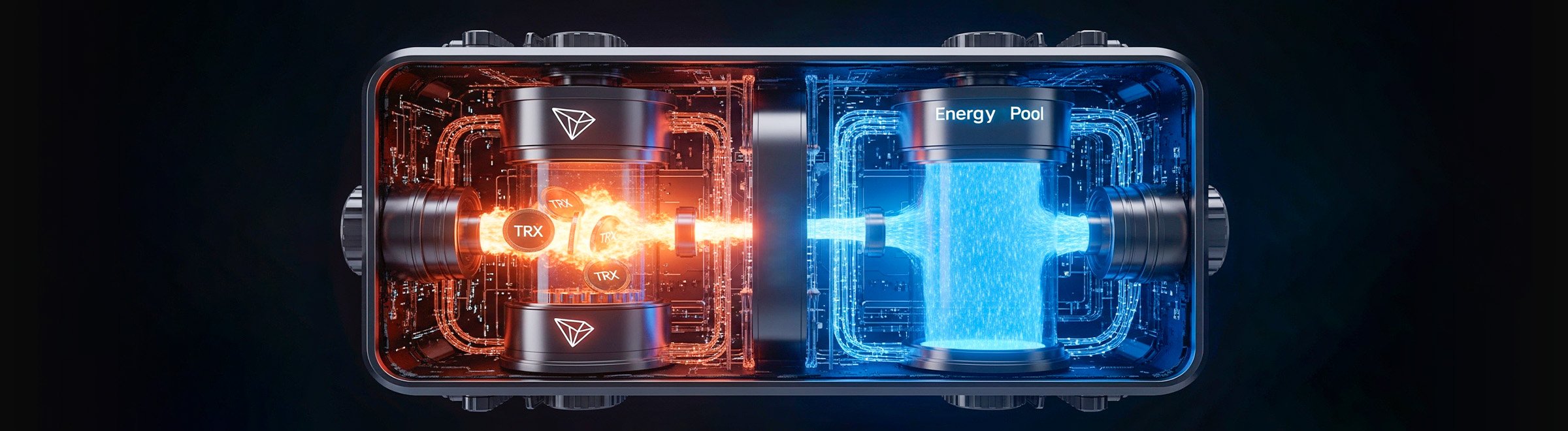
What is TRON Energy and how does it help save on USDT TRC-20 transfer fees?
We explain how to use TRON ENERGY instead of burning TRX: rental, staking, and transaction packages.
2025-07-30
120

Top-10 and Top-50 Altcoins: Which Cryptocurrencies to Choose for Investment
Top-10 and Top-50 altcoins — from Ethereum and Solana to Chainlink and NEAR. We break down which cryptocurrencies lead the market and how to choose promising tokens.
2025-10-09
182