USDT TRC-20 in Trustee Wallet Explained: Finding Your TRON Address, Making Transfers, and How TRON Fees Work
Content
The popular Trustee Wallet has its own logic for working with the TRON network, although the basic mechanics of USDT TRC-20 transfers are the same everywhere. Most users usually face two practical questions: how to send USDT correctly without losing funds, and why the network fee changes under seemingly identical transfer conditions.
In this guide, we will take a detailed look at:
how to correctly receive and send USDT TRC-20 in Trustee Wallet and where to find your TRON address in the app;
what actually determines the fee and why in some cases around 7 TRX is enough, while in others about 14 TRX is required;
how to use Tron Pool Energy to make USDT TRC-20 transfers almost fee-free.
This guide is purely practical and focuses only on working with USDT TRC-20, not on a full overview of all Trustee Wallet features. For general information about Trustee Wallet functionality—such as staking, P2P exchange, cashback, security, and account recovery—refer to the overview article “How Trustee Wallet Works: Full Feature and Security Overview”.
Where to Find USDT TRC-20 in Trustee Wallet and How to Use It
The easiest way to start is from the main Wallet screen, where the list of assets is displayed. Here you can see whether USDT is added for the correct network. If the token is not listed, tap Add Asset, find Tether (USDT) in the list, and enable it. Make sure to check the label under the token name—TRC-20 must be indicated for the correct network.
Next, open the receive screen. The app will display a TRON address that starts with the letter “T”. This address is used to receive USDT TRC-20 from an exchange, a swap service, or another wallet.
Receiving USDT TRC-20 in Trustee Wallet: How to Accept a Transfer
First, go to the main screen and select USDT with the TRC-20 label. Tapping the token opens its details page, where you will see the Receive button.
After tapping it, Trustee Wallet displays a QR code and the full TRON address. This address starts with “T”. You can copy it and send it to the sender or show the QR code for scanning.
It is very important to confirm in advance that the transfer is sent via the TRON TRC-20 network. If the sender chooses, for example, USDT ERC-20, the funds will be sent to a different network and will not appear in this wallet. In a typical user scenario, recovering such funds without the help of an exchange or service is difficult.
You can conveniently check the transaction status via Tronscan. Trustee Wallet provides a direct link to the explorer from the token menu. In Tronscan, you can see the transaction hash, amount, network fee, and the sender and recipient addresses.
Sending USDT TRC-20 from Trustee Wallet: Full Breakdown
Before sending, it is useful to make sure that you have some TRX on your balance to cover the network fee, or that Energy is already connected. After that, you can proceed with the transfer.
open the main Wallet screen and select USDT with the TRC-20 label;
tap Send;
paste the recipient’s address (starting with “T”) and enter the transfer amount;
go to the confirmation screen and double-check the address and amount;
carefully review the network fee line—the wallet shows how much TRX will be deducted for this transfer;
tap Send and confirm the transaction using a PIN or Face ID, if enabled.
If there is not enough TRX on the balance, the app will display an error message and the transaction will not be sent. In this case, you need to either buy TRX or use services that provide TRON Energy for transfers.
TRON Fees: How Much Does a USDT Transfer Cost?
Before making your first transfer, it is important to understand where the fee comes from and why it can differ even when sending the same amount of USDT.
How USDT Transfers Work on the TRON Network
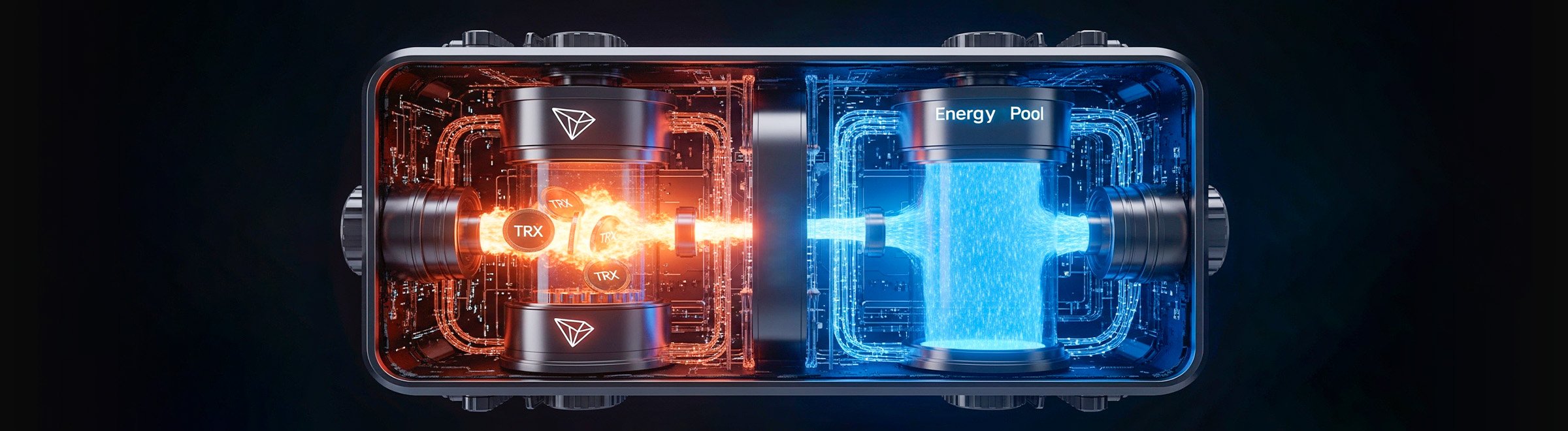
USDT TRC-20 exists on the TRON network as a smart contract. Any transfer of this token triggers the contract and consumes network resources. Two main resources are involved: Bandwidth, which handles data transmission, and Energy, which is used to execute smart contract code.
The key resource for USDT transfers is Energy. If a user has Tron Energy, the network fee is covered by this resource. If there is no Energy available, the network deducts TRX from the balance and burns it. The transfer amount itself does not affect the cost—sending 10 USDT and sending 10,000 USDT consume the same amount of resources.
It is important to remember that when Energy is available, there is no need to hold TRX specifically for paying fees. The cost is covered by rented or earned resources.
The Main Fee Factor: Whether the Recipient Has USDT
The most important factor is whether USDT has ever been held on the recipient’s address.
if the address is already activated and has held USDT TRC-20 before, the transfer requires approximately 65,000 Energy, which corresponds to burning about 6,77 TRX if no Energy is available;
if the address is new and has never held USDT, the network must activate the token for this wallet. This requires around 131,000 Energy, which is equivalent to burning about 13,37 TRX when no Energy is available.
As a result, two transfers of the same USDT amount can have different costs. The difference is not related to the amount sent, but to the state of the recipient’s address.
How This Looks in the Trustee Wallet Interface
Energy is not displayed directly in the wallet interface. The user only sees the final fee in TRX on the confirmation screen. The Energy amounts—65,000 or 131,000—are not shown explicitly; the system simply converts them into a TRX value.
If the TRX balance is lower than required to cover the fee, Trustee Wallet will show an error message and will not process the transaction. Until the balance is topped up or Energy is connected, the transfer remains unavailable.
How to Buy TRX in Trustee Wallet (If You Don’t Have Enough for the Fee)
Sometimes it is easier to buy a small amount of TRX directly. For this, Trustee Wallet offers the Exchange section.
If you have another cryptocurrency on your balance, such as BTC or USDT on a different network, you can use the built-in swap feature. The exchange is processed via ChangeNOW and Changelly. The user selects the trading pair, confirms the rate, and receives TRX to the same address.
If you have fiat funds in UAH or USD, TRX can be purchased through P2P providers. The Add Card option works via the KASSA service, while the Cash option uses any.cash for cash-based deals.
This method is usually more expensive than buying TRX on an exchange and then withdrawing it. Third-party services such as KASSA and any.cash may require KYC. Minimum purchase amounts are also relatively high—for example, card purchases may start from around $126. Partner fees are included in the rate, making the final TRX price less favorable.
How to Reduce USDT TRC-20 Fees in Trustee Wallet Using Tron Energy
If you regularly send USDT TRC-20 and pay fees by burning 6,77 or 13,37 TRX each time, total expenses can grow quickly. In this situation, using Energy is a more efficient way to reduce costs and keep your TRX balance liquid.
Method 1. Built-In TRX Staking in the Wallet
Trustee Wallet offers a feature that allows users to freeze TRX to obtain TRON network resources—Energy and Bandwidth. This option is available in the TRX section, where you can choose staking or delegation. After freezing, part of the balance becomes unavailable, and the wallet credits resources that are used to pay network fees.
In practice, this method is not suitable for most users. To obtain a meaningful amount of Energy, a significant amount of TRX must be frozen and kept locked continuously. If you only need to make a few USDT TRC-20 transfers or use the wallet irregularly, freezing coins is inefficient: TRX remains idle, liquidity is lost, and fee savings are minimal or not noticeable at all.
Essentially, built-in staking makes sense only for users who already hold TRX long-term and send transactions regularly. For most users who value flexibility and occasional transfers, this option creates more inconvenience than real savings.
Method 2. Renting Energy via Tron Pool Energy
If USDT TRC-20 transfers in Trustee Wallet occur regularly, it is far more rational to connect Energy once than to lose 6,77 – 13,37 TRX on fees every time. Renting Tron Energy allows you to cover the execution of the USDT smart contract in advance and send transfers with minimal TRX deductions, keeping your balance liquid.
Unlike staking, this approach does not require freezing coins or holding TRX on the wallet for fees. You pay only for the required amount of resources and use them exactly when needed. This is especially convenient for users who work with USDT occasionall
Unlike staking, this approach does not require freezing coins or holding TRX on the wallet for fees. You pay only for the required amount of resources and use them exactly when needed. This is especially convenient for users who work with USDT occasionally or do not want to depend on the TRX price.
The service works via a website and a Telegram bot, without connecting the wallet or accessing private keys. A public TRON address from Trustee Wallet is sufficient—Energy is credited automatically and begins covering network fees.
Hourly Energy Rental
This format is suitable for one-time transfers or several transactions in a short period.
select the required amount of Energy (for a specific transfer or a series of transactions);
scan the QR code or use the provided TRON address for payment;
send TRX corresponding to the selected Energy amount—this is a one-time payment for the resource, not a transfer fee;
pay from the same Trustee Wallet TRON address that requires Energy;
wait for activation and send the USDT TRC-20 transfer.
In most cases, the hourly limit is enough to complete several transactions calmly without monitoring your TRX balance. The key point is that TRX here is used as payment for a resource, not as a fee. Instead of burning 6,77 – 13,37 TRX per transfer, the effective cost is reduced to approximately 3 – 6 TRX.
Unlimited Tron Energy
This option is chosen by users with high transaction volume: P2P exchanges, online stores, services, and active traders. Once connected, Energy is constantly available and covers all operations on the TRON network.
Steps to connect:
open the Unlimited Energy section in the Telegram bot or on the website;
paste the public TRON address from Trustee Wallet;
pay for the service in USDT from any wallet or exchange;
wait for activation and continue sending USDT TRC-20 as usual, without worrying about fees.
As a result, transfer costs become predictable and independent of the TRX price, while Trustee Wallet turns into a stable tool for frequent operations on the TRON network.
Team Energy : When You Have Multiple Addresses
For users who work with multiple TRON addresses, Team Energy is available—a centralized Energy management tool. It allows you to connect resources to several wallets at once, distribute limits for different tasks, and avoid managing each address manually.
Energy Pool is especially useful for teams, P2P services, and business scenarios where multiple wallets are used within a single account. In this setup, fee management is handled as a separate layer, while USDT TRC-20 transfers in Trustee Wallet remain simple and transparent for the user.
Conclusion
Trustee Wallet is well suited for working with TRON and USDT TRC-20, combining a user-friendly interface with support for TRC-20 addresses and DApp connections. By default, transfers are paid for by burning TRX, but in practice the most cost-efficient strategy is renting Energy via Tron Pool Energy.
This approach allows you to reduce USDT TRC-20 transfer fees in Trustee Wallet almost to zero and makes the wallet a convenient tool for users who frequently work with the TRON network and want to save on every transaction.
Share
Link
Did you like the article?
FAQ
How do you correctly send USDT TRC-20 in Trustee Wallet?
You need to select USDT with the TRC-20 label, enter the recipient’s TRON address, check the amount, and confirm the transfer. Before sending, make sure there is enough TRX on the wallet to cover the fee or that Energy is connected.
Where can you find the TRON address for USDT TRC-20 in Trustee Wallet?
The TRON address is shown on the USDT TRC-20 receive screen. It starts with the letter “T” and is used for receiving and sending transfers on the TRON network.
Why does the USDT TRC-20 transfer fee differ in Trustee Wallet?
The fee depends on the state of the recipient’s address. If USDT has already been held on the address, the transfer requires fewer network resources. For a new address, the fee is higher due to smart contract activation.
How much TRX is required to send USDT TRC-20?
Without Energy, a standard transfer requires around 6,77 TRX, while a transfer to a new address or an address that has never held USDT requires about 13,37 TRX. The USDT amount does not affect the fee.
What should you do if there is not enough TRX for the fee in Trustee Wallet?
You can buy TRX using the built-in exchange, P2P providers, or top up the wallet from an exchange. Without sufficient TRX, the transaction will not be sent. As an alternative, you can use TRON network resources such as Energy and Bandwidth to significantly reduce fees.
Is it possible to send USDT TRC-20 without constantly burning TRX?
Yes. Instead of paying the fee in TRX, you can use Tron Energy, which covers smart contract execution and reduces the actual cost of transfers. Connecting Tron Energy is convenient via the Tron Pool Energy service.
TRX calculator
Find out how much you spend on commissions!
Enter your crypto wallet address and we'll calculate how much TRX you've spent on fees over the last 30 days.
What is TRON Energy and how does it help save on USDT TRC-20 transfer fees? We explain how to use TRON ENERGY instead of burning TRX: rental, staking, and transaction packages.
Three services that give traders an insider’s edge: Lookonchain, Whale Alert, and TRON Pool Energy. Whale tracking, market monitoring, and fee savings.





 English (EN)
 Русский (RU)
 Українська (UK)
 español (ES)
 Türkçe (TR)