





 English (EN)
 Русский (RU)
 Українська (UK)
 español (ES)
 Türkçe (TR)
Transfer Control of a TRON Address via Permissions (Multi-Signature)
After purchasing a personalized TRON address, you receive the wallet's private key. Before the permissions are changed, this key has full control over the address, so the next required step is to transfer management under your own control.
For this, TRON uses its built-in Multi-Signature mechanism through Permissions. It allows you to reassign Owner and Active permissions to your secure wallet, after which the original private key will no longer be able to manage the address.
How the Multi-Signature mechanism works in the TRON blockchain
In the TRON network, each account has three types of permissions:
Owner
Main permission. Can perform any action: send funds, modify permissions, and manage the account.
Witness
Used only for validator nodes (Super Representatives). Not required for regular users.
Active
Daily operations: TRX and USDT transfers, energy delegation, voting, and other actions.
When a wallet is created, one private key automatically receives all permissions by default. In other words: one key = full control over the address.
The key feature of TRON is that these permissions can be reassigned: the original key can be replaced with another address or multiple addresses. After that, the original key will no longer manage the wallet.
What changing permissions gives you for a TRON vanity address and wallet security
Let's assume you purchased the vanity address T....Boss through a third-party service but are not sure whether the private key was stored anywhere.
You import this address into TronLink and create a second Control Wallet — for example through Ledger or a new wallet in TronLink. You get its address: T....Safe.
Next, in the Permissions settings of T....Boss, you change Owner and Active, assigning T....Safe as the permission owner.
After confirming the changes, the original vanity private key loses control over the address. Even if someone still has a copy of it, they will no longer be able to manage the wallet or transfer funds.
Funds will continue arriving at the attractive T....Boss address, but full control over it will now belong only to your secure wallet T....Safe.
Preparation for transferring wallet control
Before changing permissions, make sure the vanity address has enough TRX to cover TRON network fees.
Vanity address* balance — minimum 101 TRX
Network fee — 100 TRX for each permission change
Reserve — 1 TRX in case additional bandwidth is required
Both wallets must be activated.
*A vanity address is a personalized TRON address with custom words, names, symbols, or unique combinations at the end of the address, making the wallet easier to recognize and more distinctive.
Step-by-step guide to changing Owner and Active Permissions
Step 1. Install TronLink
Download the official TronLink wallet:
Step 2. Import the vanity address
Add the private key received after purchasing your personalized TRON address into TronLink:
- Paste the private key.
- Enter a wallet name.
- Create a password.
- Tap Import Private Key.
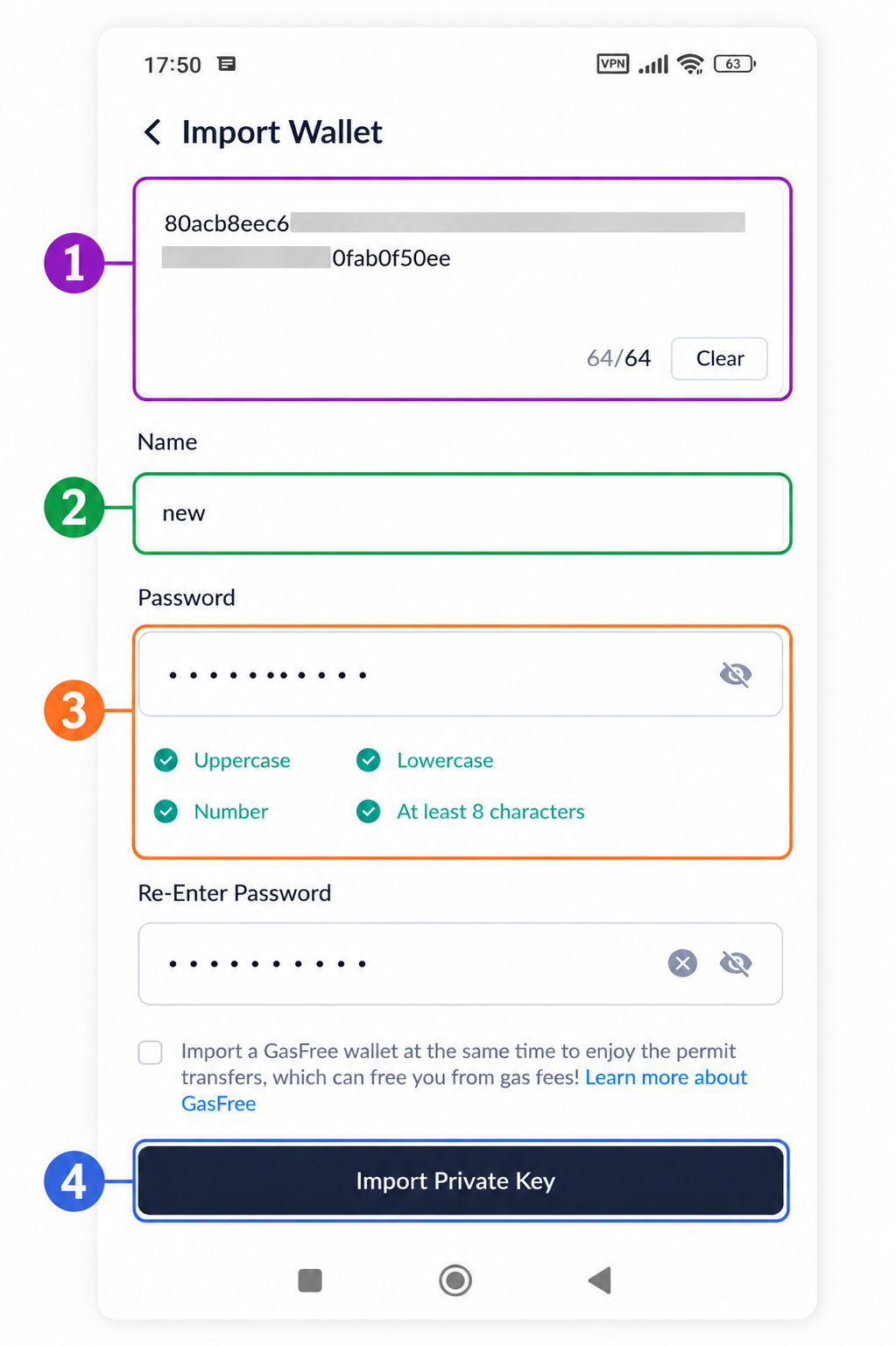
In our example, the following address is used:
TTJzxZgBr15SFx3fiyYJC5Av7SWnAAAAAA
Before changing Owner and Active, the vanity address must have at least 101 TRX to cover the network fee.
Step 3. Prepare the Control Wallet
Create a new TRON wallet in TronLink or use an existing wallet that only you can access.
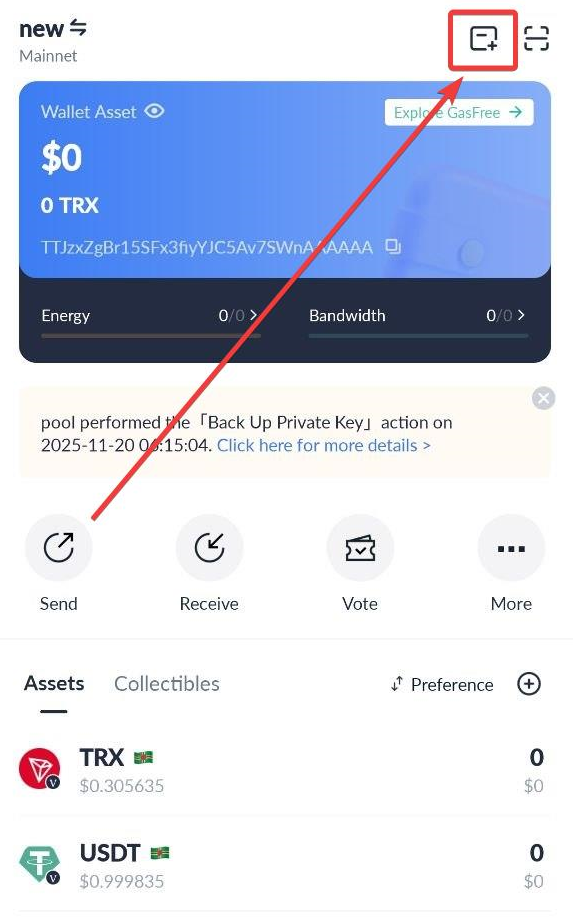
This address will become the Control Wallet and will confirm all operations after changing Owner and Active.
The following address is used in the example:
TDmowNFAWyeJuyanuEyp5J3HapYcNfFyE3
After this, two wallets will appear in TronLink:
- vanity address;
- your Control Wallet.
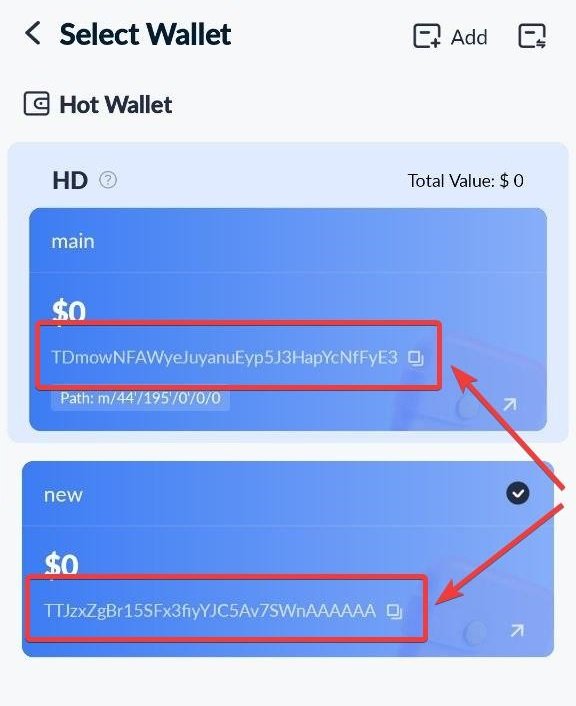
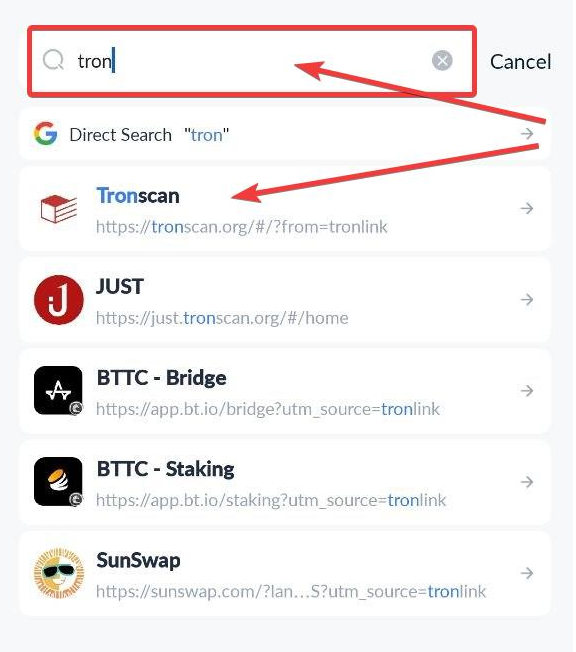
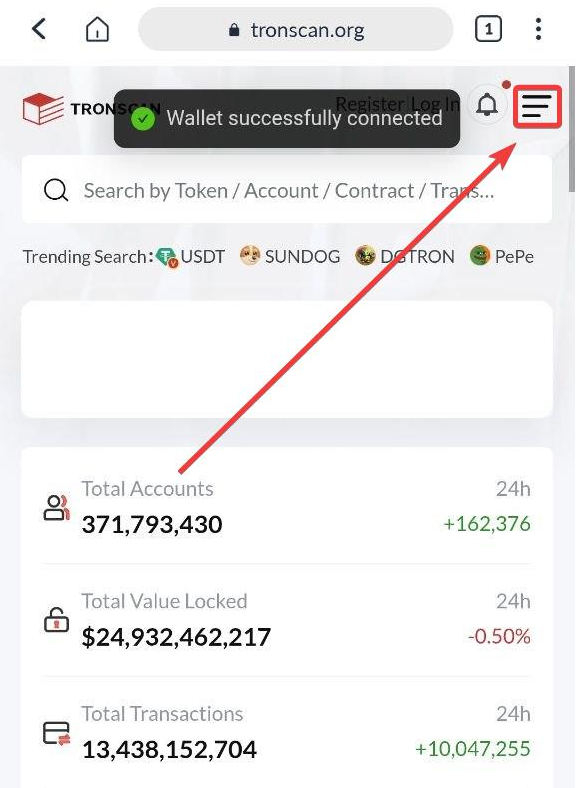
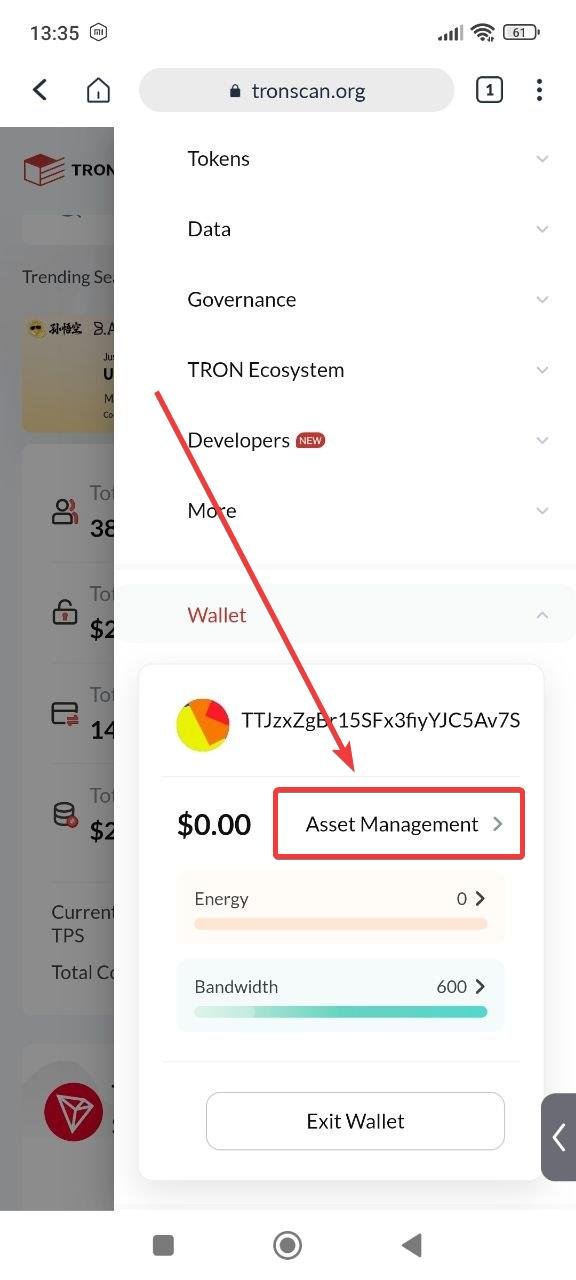
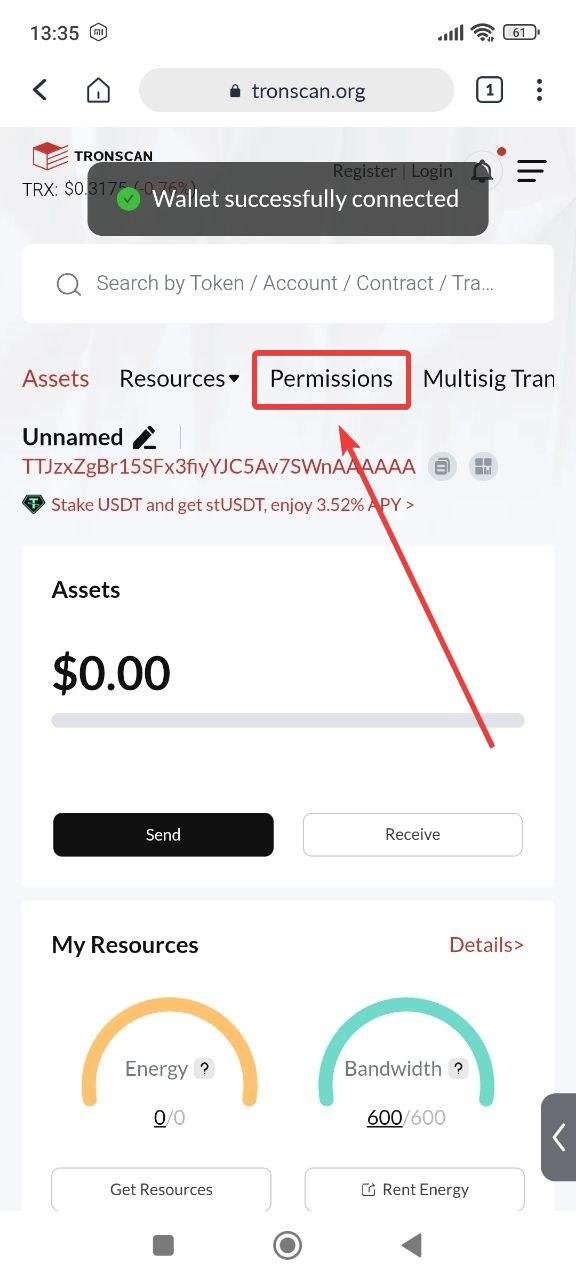
Step 4. Open TronScan via TronLink
1. Open the Discover menu
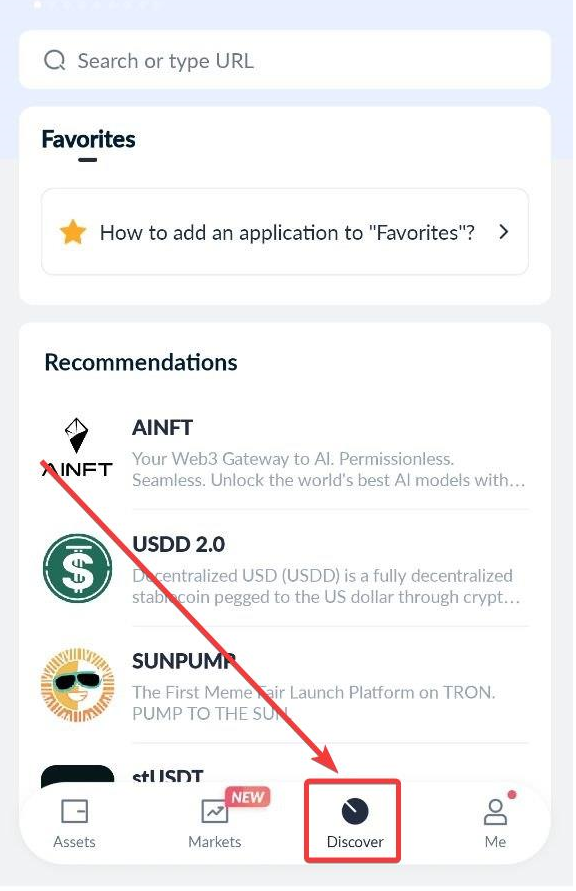
2. Find TronScan
3. Open the wallet menu
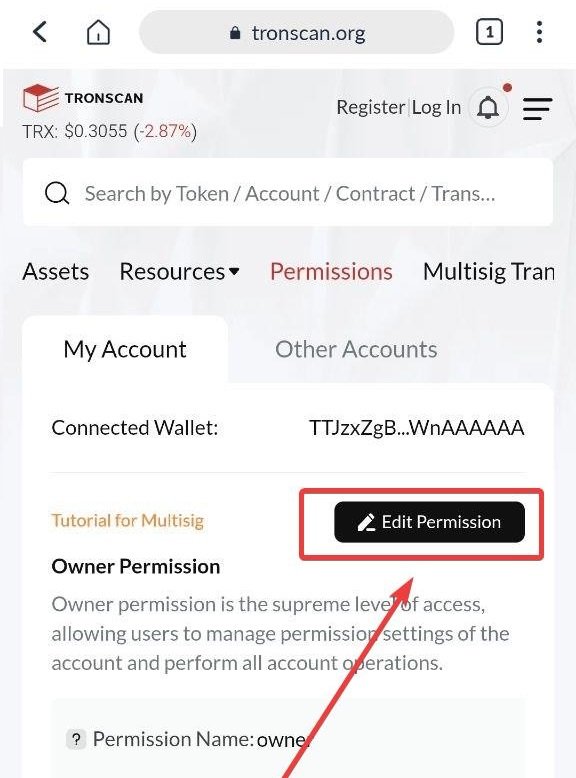
4. Go to Permissions
Step 5. Change Owner and Active
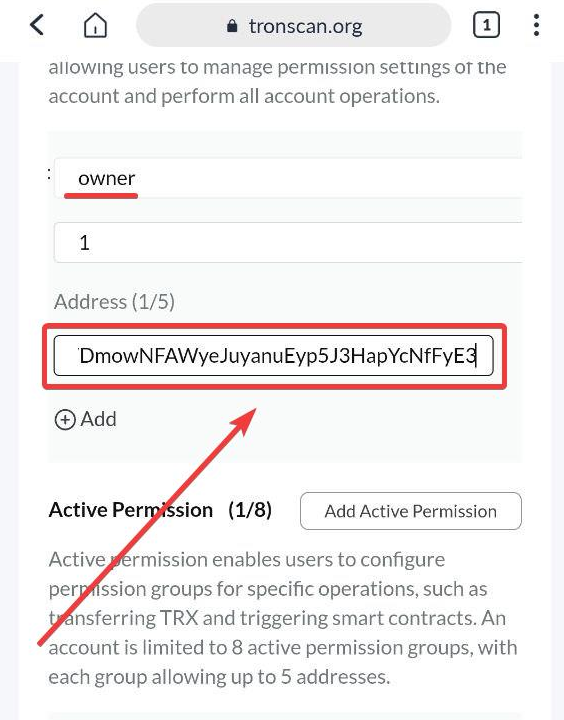
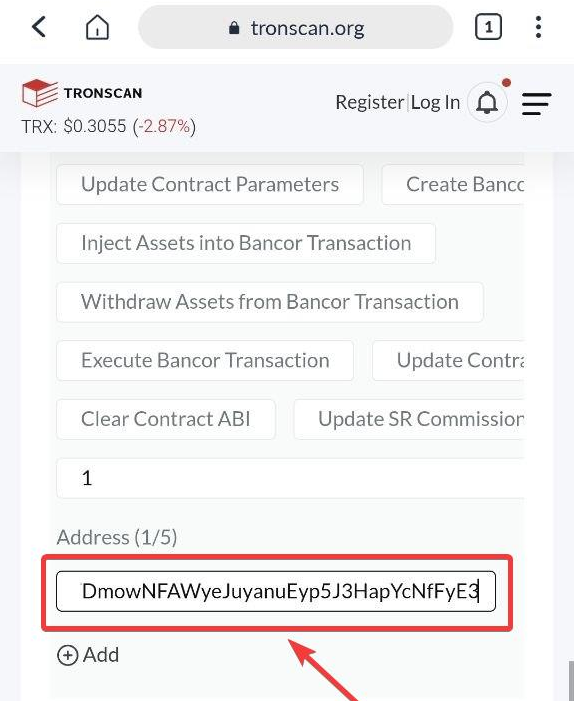
In the Permissions settings, replace the current owner address with your Control Wallet address.
This must be done in two places: in the Owner section and in the Active section.
In our example, remove the vanity wallet address:
TTJzxZgBr15SFx3fiyYJC5Av7SWnAAAAAA
and insert the Control Wallet address:
TDmowNFAWyeJuyanuEyp5J3HapYcNfFyE3
Step 6. Confirm the ownership change
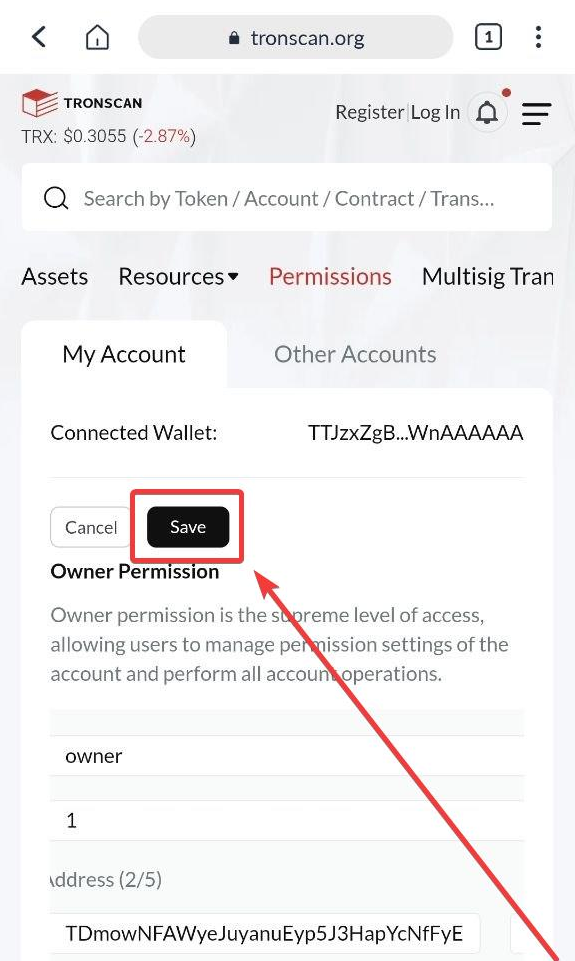
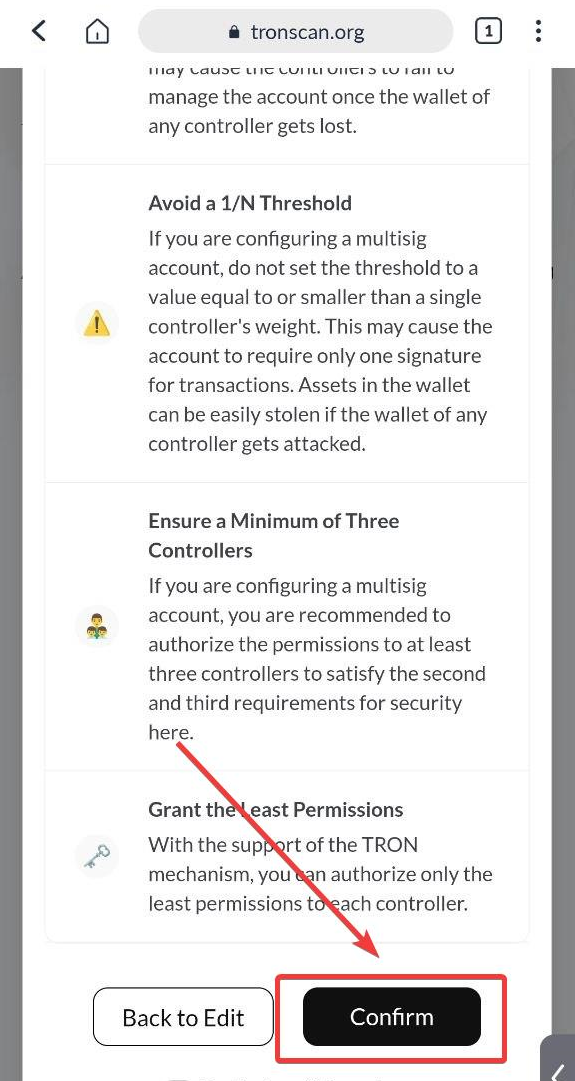
After making the changes, click Save, confirm the wallet ownership change, and sign the smart contract in TronLink to record the new Owner and Active permissions on the TRON blockchain.
The network will charge approximately 100 TRX for the operation.
⚠️ Important
Before confirming the changes, carefully verify the Control Wallet address (Owner / Active). Once the new permissions are applied, full control of the address will be transferred to it.
If you enter an incorrect address or a wallet that you do not have access to, after confirmation you will no longer be able to manage the wallet, transfer funds, or change settings. In this case, access to the wallet may be permanently lost.
Done — the vanity address is now fully under your control
After confirming the changes, all operations with the address:
TTJzxZgBr15SFx3fiyYJC5Av7SWnAAAAAA
will only be possible through your Control Wallet:
TDmowNFAWyeJuyanuEyp5J3HapYcNfFyE3
Even if someone has the seed phrase or private key of the vanity address, transferring funds, changing permissions, or accessing assets without confirmation from the Control Wallet will no longer be possible.
Your Personalized TRON Address is now fully protected and belongs only to you.
We also recommend checking these separate guides:
- how to transfer USDT TRC-20 and other tokens from a vanity address;
- how to check and revoke Approve permissions for DEXs and Web3 applications.


