





 English (EN)
 Русский (RU)
 Українська (UK)
 español (ES)
 Türkçe (TR)
How to Transfer Tokens from a TRON Address After Changing Owner and Active
After configuring Permissions and transferring control of the TRON address, all operations are now performed not through the original private key of the vanity wallet, but through your Control Wallet.
If you have not yet configured the transfer of Owner and Active permissions, first follow the guide: "Transfer Control of a TRON Address via Permissions (Multi-Signature)"
Now let's look at how to transfer USDT TRC-20 and other tokens from such a wallet through TronLink.
After changing Owner and Active, funds continue to remain on your vanity address, but standard transfers through it are no longer used.
All operations are now performed only through the TronLink wallet using your Control Wallet.
For such addresses, transfers are executed through the MultiSign Transfer mode, which allows operations to be confirmed by the new permission owner.
Each operation through Multi-Signature requires an additional network fee of 1 TRX.
How to Perform a Transfer via MultiSign Transfer
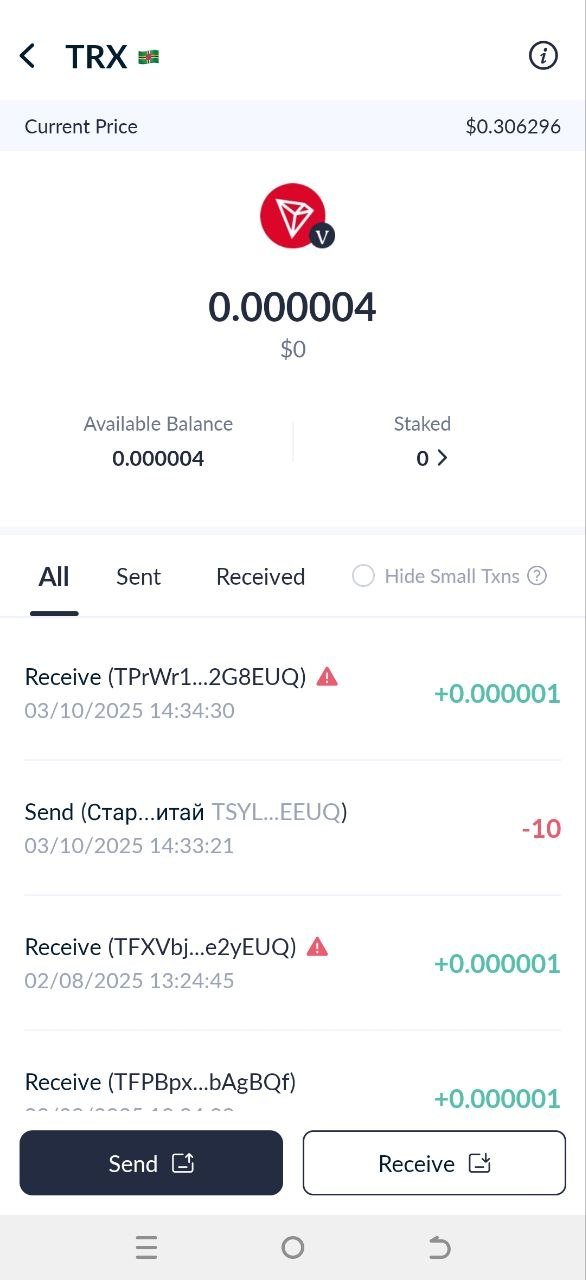
Step 1. Open your Control Wallet, select the token for transfer, and tap "Send"
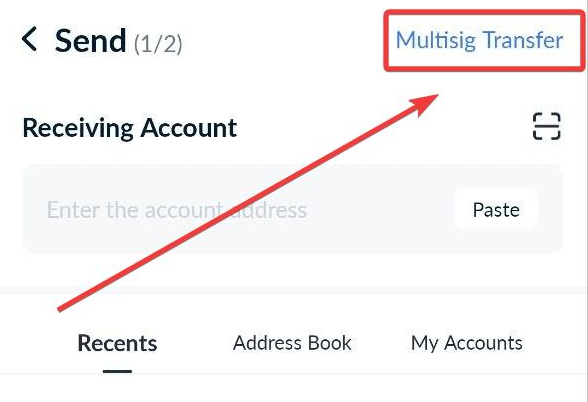
Step 2. Tap MultiSign Transfer
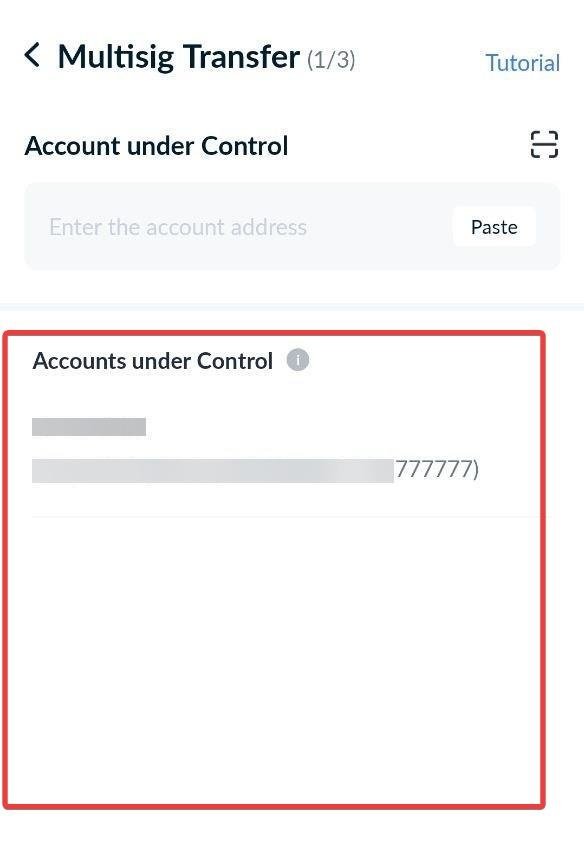
In the upper-right corner, tap MultiSign Transfer. A list of wallets managed by your Control Wallet will appear.
Step 3. Select the vanity wallet you want to transfer from.
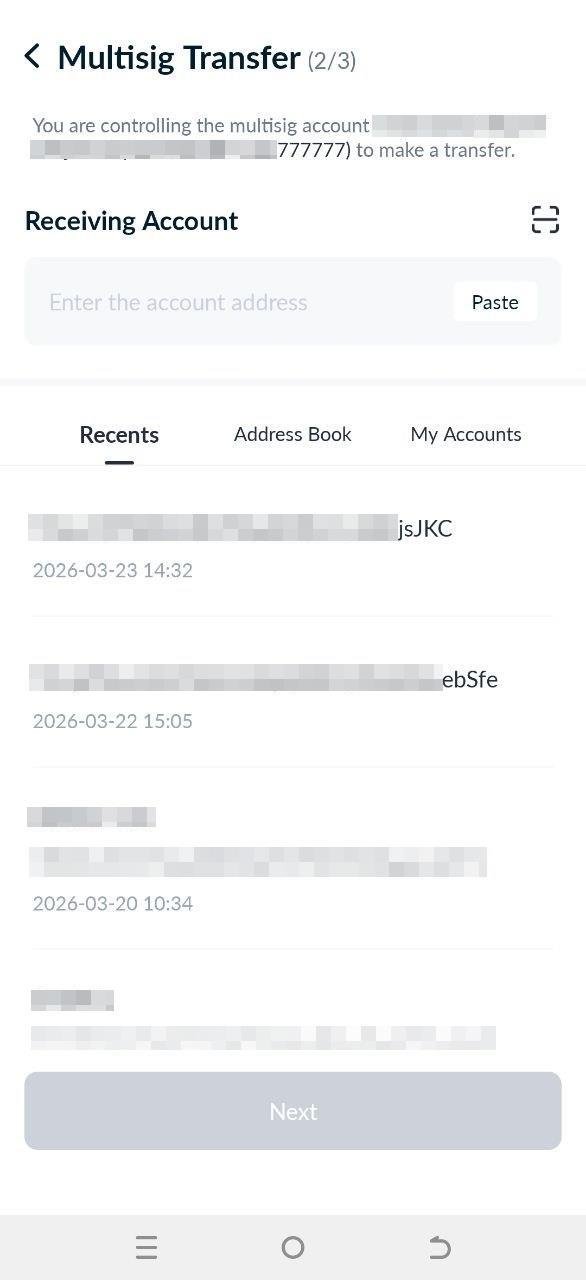
Step 4. Enter the recipient address
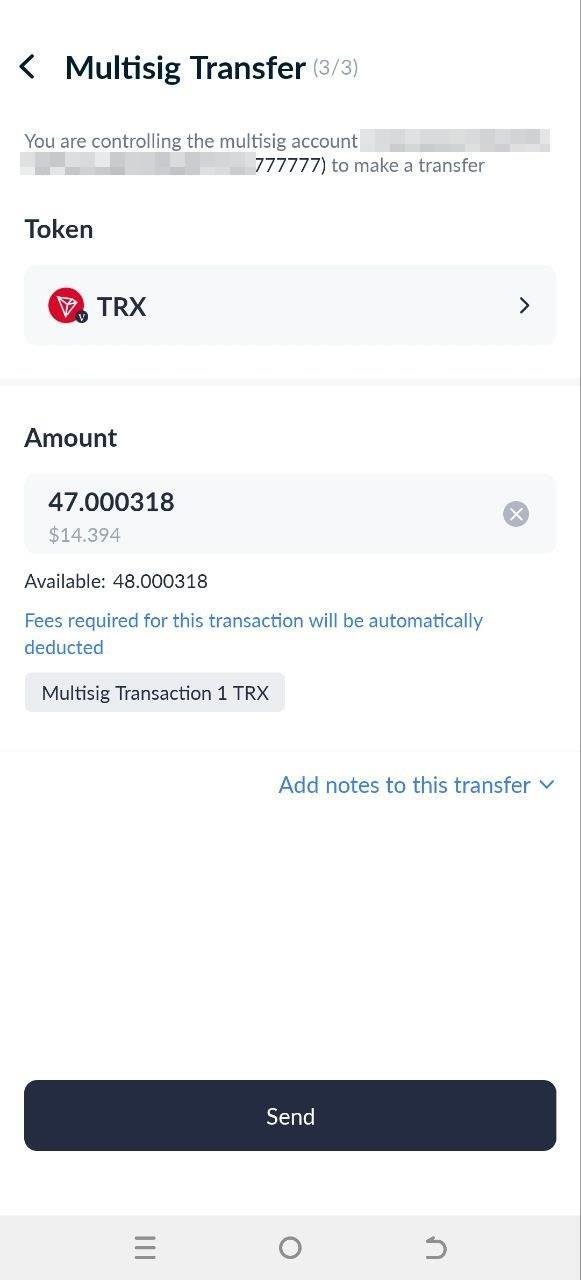
Step 5. Enter the transfer amount and confirm the transaction
Although confirmation is performed through the Control Wallet, the Available field displays the balance of your Vanity address, since the transfer is actually made from it.
Before confirming the transaction, you will also see an additional Multi-Signature fee — 1 TRX.
Step 6. Sign the transfer
After confirmation and signing in TronLink, the transfer will be sent.
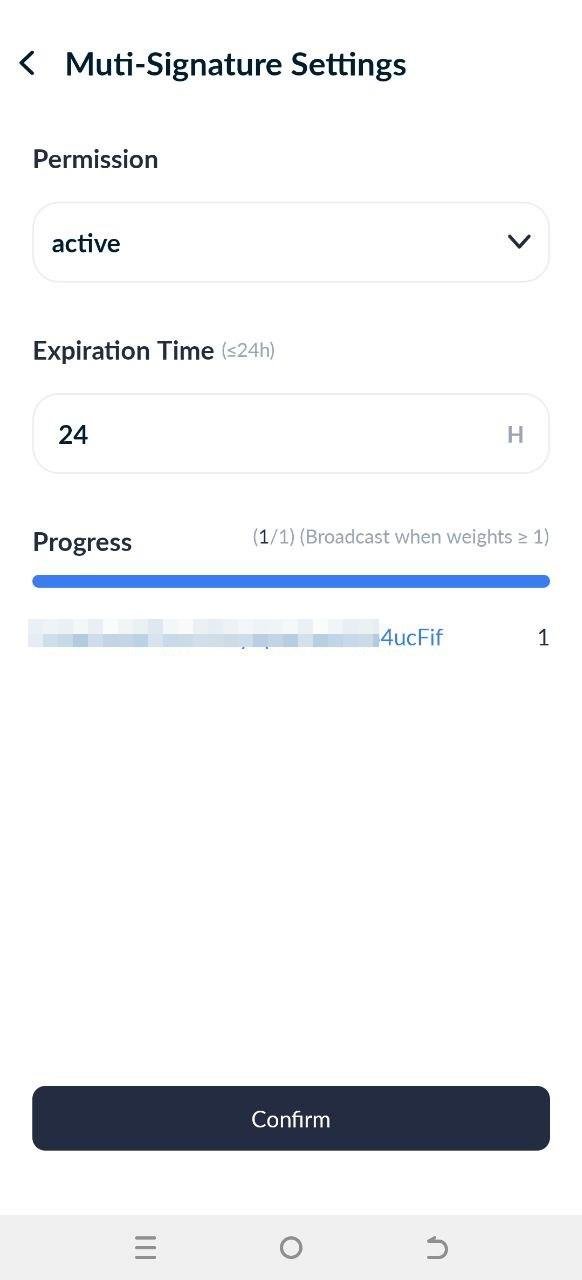
In this example, only 1 signature out of 1 is required to confirm the transfer, so the operation will be completed immediately after confirmation by the Control Wallet.
The Expiration Time parameter shows the lifetime of the Multi-Signature request. By default, confirmation must be completed within 24 hours. If the required signatures are not received during this time, the operation will be automatically canceled.
The TRON network allows multiple Control Wallets to be used simultaneously. For example, you can configure transfer confirmation only after receiving 2 signatures out of 3. In this case, the transfer will wait for confirmation from the remaining participants until the Expiration Time timer expires.
Now you know how to perform transfers from a vanity address after changing Owner and Active through the Multi-Signature mechanism in TronLink.
All operations with such an address are confirmed through the Control Wallet (or multiple control addresses) using the MultiSign Transfer mode.
We also recommend reviewing the following guides:
- transfer control of a TRON address via Permissions and Multi-Signature;
- checking and revoking Approve permissions for DEX and Web3 applications;
- secure storage of the seed phrase for the Control Wallet.


